 When the coronavirus pandemic hit, many office workers scrambled to set up a comfortable, productive, at-home workspace. Some people had no issues making the switch, while others found it a real challenge.
If you're in the latter, do not worry. There are things you can do to improve your at-home office setup from a CPE-certified ergonomist.
Monitor Positioning
You want the top of your monitor to be at eye level. This will help to reduce neck strain. If you wear progressive lenses, make sure the center of your screen is about four inches below your eyes so you can comfortably view the entire screen.
If you don't have a monitor stand, you can do a few things to prop up your monitor. Place it on top of a stack of books or binders. You can also try using Post-it notes to create makeshift risers. Just be sure whatever you use is stable and won't slip or fall over.
Keyboard and Mouse Positioning
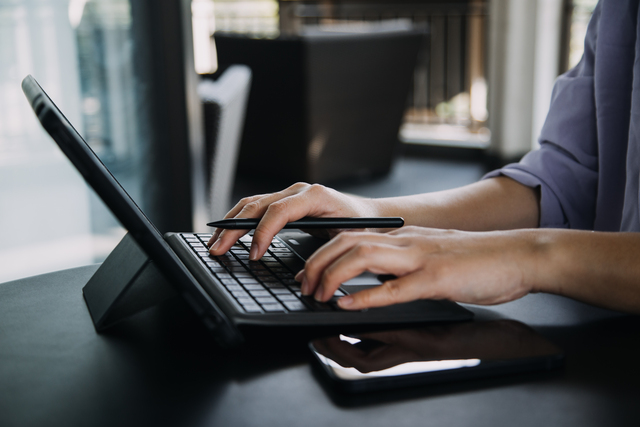
Your keyboard and mouse should be close to your body, so you don't have to reach too far forward when typing or clicking. You also want to make sure your wrists are in a neutral position when using these devices. This means they should be neither bent up nor down.
One way to achieve this is to use a separate keyboard and mouse pad which are adjustable. This way, you can position them at the perfect height for you. Another option is to prop up your keyboard with a book or binder, so the keys are level with your elbows.
Invest in a separate keyboard and mouse if you're using a laptop. This way, you can position them comfortably on your desk.
Chair Positioning
Your chair should be at a height to allow your feet to rest flat on the floor with your knees bent at a 90-degree angle. If your chair is too high or too low, you may experience discomfort in your back, neck, and shoulders.
If you can't adjust the height of your chair, try placing a phone book or a stack of books under your feet to raise them. You can also try using a pillow to support your lower back.
When sitting in your chair, be sure to maintain good posture. This means keeping your back straight, and your shoulders rolled back.
Final Thoughts
Remember, the goal is to find a position which is comfortable for you. Everyone's body is different, so what works for one person may not work for another. Don't be afraid to experiment until you find a good setup. And if you have any questions, be sure to contact the out team at Ergobility. We are certified professionals who can help you create the perfect ergonomic setup for your needs.
When the coronavirus pandemic hit, many office workers scrambled to set up a comfortable, productive, at-home workspace. Some people had no issues making the switch, while others found it a real challenge.
If you're in the latter, do not worry. There are things you can do to improve your at-home office setup from a CPE-certified ergonomist.
Monitor Positioning
You want the top of your monitor to be at eye level. This will help to reduce neck strain. If you wear progressive lenses, make sure the center of your screen is about four inches below your eyes so you can comfortably view the entire screen.
If you don't have a monitor stand, you can do a few things to prop up your monitor. Place it on top of a stack of books or binders. You can also try using Post-it notes to create makeshift risers. Just be sure whatever you use is stable and won't slip or fall over.
Keyboard and Mouse Positioning
Your keyboard and mouse should be close to your body, so you don't have to reach too far forward when typing or clicking. You also want to make sure your wrists are in a neutral position when using these devices. This means they should be neither bent up nor down.
One way to achieve this is to use a separate keyboard and mouse pad which are adjustable. This way, you can position them at the perfect height for you. Another option is to prop up your keyboard with a book or binder, so the keys are level with your elbows.
Invest in a separate keyboard and mouse if you're using a laptop. This way, you can position them comfortably on your desk.
Chair Positioning
Your chair should be at a height to allow your feet to rest flat on the floor with your knees bent at a 90-degree angle. If your chair is too high or too low, you may experience discomfort in your back, neck, and shoulders.
If you can't adjust the height of your chair, try placing a phone book or a stack of books under your feet to raise them. You can also try using a pillow to support your lower back.
When sitting in your chair, be sure to maintain good posture. This means keeping your back straight, and your shoulders rolled back.
Final Thoughts
Remember, the goal is to find a position which is comfortable for you. Everyone's body is different, so what works for one person may not work for another. Don't be afraid to experiment until you find a good setup. And if you have any questions, be sure to contact the out team at Ergobility. We are certified professionals who can help you create the perfect ergonomic setup for your needs.
Berkeley, CA - Ergonomic Consultant Offers Tips for Your Onsite Home Office
SYNOPSIS: This article covers some basics of setting up an ergonomic home office from a CPE-certified ergonomist. This includes advice on positioning your computer monitor, keyboard, mouse, and more.
Tips for How to Improve a Home Office with Ergonom
BY: Allen Yagjian, Ergobility LLC
When the coronavirus pandemic hit, many office workers scrambled to set up a comfortable, productive, at-home workspace. Some people had no issues making the switch, while others found it a real challenge.
If you're in the latter, do not worry. There are things you can do to improve your at-home office setup from a CPE-certified ergonomist.
Monitor Positioning
You want the top of your monitor to be at eye level. This will help to reduce neck strain. If you wear progressive lenses, make sure the center of your screen is about four inches below your eyes so you can comfortably view the entire screen.
If you don't have a monitor stand, you can do a few things to prop up your monitor. Place it on top of a stack of books or binders. You can also try using Post-it notes to create makeshift risers. Just be sure whatever you use is stable and won't slip or fall over.
Keyboard and Mouse Positioning
Your keyboard and mouse should be close to your body, so you don't have to reach too far forward when typing or clicking. You also want to make sure your wrists are in a neutral position when using these devices. This means they should be neither bent up nor down.
One way to achieve this is to use a separate keyboard and mouse pad which are adjustable. This way, you can position them at the perfect height for you. Another option is to prop up your keyboard with a book or binder, so the keys are level with your elbows.
Invest in a separate keyboard and mouse if you're using a laptop. This way, you can position them comfortably on your desk.
Chair Positioning
Your chair should be at a height to allow your feet to rest flat on the floor with your knees bent at a 90-degree angle. If your chair is too high or too low, you may experience discomfort in your back, neck, and shoulders.
If you can't adjust the height of your chair, try placing a phone book or a stack of books under your feet to raise them. You can also try using a pillow to support your lower back.
When sitting in your chair, be sure to maintain good posture. This means keeping your back straight, and your shoulders rolled back.
Final Thoughts
Remember, the goal is to find a position which is comfortable for you. Everyone's body is different, so what works for one person may not work for another. Don't be afraid to experiment until you find a good setup. And if you have any questions, be sure to contact the out team at Ergobility. We are certified professionals who can help you create the perfect ergonomic setup for your needs.