TheOakdale CityScoop

Sign Company News
Oakdale, MN

File formats simplified - What do I need to send my printer?

SYNOPSIS: File formats What do they mean and what type do I need to have my file printed? As a printer we are always looking for vector images when possible, vector images can reside in PDF, EPS, or AI files depending on how they were created. Some image
BY: ,
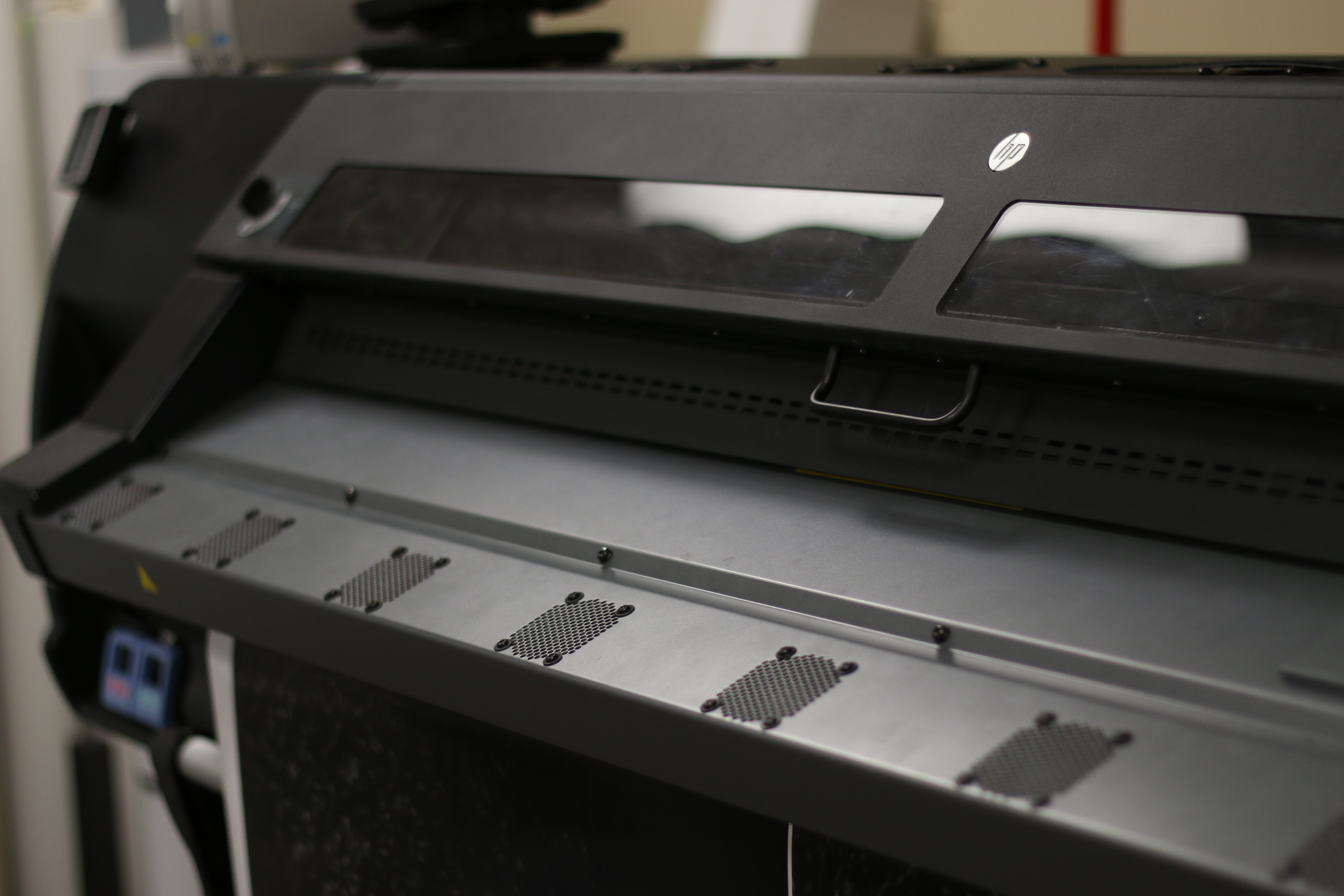
File formats What do they mean and what type do I need to have my file printed? As a printer we are always looking for vector images when possible, vector images can reside in PDF, EPS, or AI files depending on how they were created. Some images are created with photographs and in which case cannot always be sent as the requested formats. In those cases, PSD, TIFF, OR JPEG files are acceptable but only at high resolutions. We only ask for these so we can provide you with something you’ll be happy and excited to get back.   IMG_6289  

The Files we want to see:

PDF – Portable Document Format - The most common and friendliest, especially when they contain saved vector images originally created in Adobe Illustrator. EPS – Encapsulated PostScript – The standard graphics file format for exchanging images, drawings or whole pages. EPS with outlined text is how you become your printer’s best friend.  More about our preferred and favorite format AI – Adobe Illustrator – A file created in Illustrator that has not been saved as a pdf, acceptable format as long as text has been saved as outlines to prevent font swaps when loaded on other computers. Can also let creators and users go between layers and make changes if necessary. TIFF – Tagged Image File Format – The most responsible and high resolution photo format. Great for saving scanned images, a non-compressed file. PSD – Photoshop Data File – A file created in Photoshop that has multiple layers and allows the creator and user to go back and forth between layers or masks. JPEG – Joint Photographic Experts Group – The most typical photo file. Good for photos, terrible for logos.   rastorvector
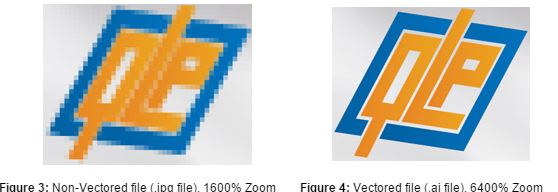
Images from Quality Logo Products


The files we don’t like to see:

All of these file formats either are raster files that give you that pixelated, unclear images, file formats most printers aren’t able to print, formats intended just for internet use or just involve a series of steps that could result in quality loss or lost images. Please stick to the formats listed above when printing.   [caption id="attachment_832" align="aligncenter" width="605"]giphy (3) A GIF - You probably don't want to try to print this.[/caption]   BMP – Bitmap PNG – Portable Network Graphics GIF – Graphics Interchange Format INDD – InDesign Document DWG – Drawing (CAD) PUB – Publisher Document DOC – Word Document XLS – Excel Spreadsheet PPT – PowerPoint Document  

Possibly acceptable:

ZIP – Compressed File – This always means there are multiple files, some of which may or may not be one of the files above.  

If you're still confused:
man-479670_1920

Feel free to contact us, we are happy to discuss what file formats will produce the best results.            

“Best Sign Company in Oakdale, MN”

Top Rated Local Custom Sign Shop / Store / Business

Oakdale, MN

Recent

Common questions for putting your brand or name on your vehicle What are the options? Many options are available to raise awareness of your busines…

“Best Sign Company in Oakdale, MN”

Top Rated Local Custom Sign Shop / Store / Business

Oakdale, MN

CityScoop is the top ranked local business news network in the United States. Established in 2008, CityScoop has been providing local communities with high quality news about local businesses and their most recent projects.

About Cityscoop
ABOUT THE AUTHOR

LOCAL EXPERT

AUTHOR & CONTRIBUTOR
Profile Avatar

Leave a message

Recent

File formats simplified - What do I need to send my printer?
Dec 14, 2015
File formats What do they mean and what type do I need to have my file printed? As a printer we are alwa…
Oakdale, MN - Dunwoody College of Technology - Student Tours | Signage News
Nov 9, 2015
Last week, Impression Signs and Graphics hosted two student days for graphic designers at Dunwoody College of …
Why customers choose businesses based on their brands
Oct 27, 2015
Thriving businesses know that good branding is important. Branding distinguishes your company. Today’s cust…
3 Popular ways to spruce up the office - Impression Signs and Graphics
Oct 8, 2015
3 Popular ways to decorate your office Keep morality high amongst your employees and give clients something a…
What to know before you order a banner
Oct 2, 2015
What is there to know about banners you ask? Lots! .
What is a site survey for? by Impression Signs - Oakdale, MN
Sep 14, 2015
Site Surveys What are they and why do I need one? Often times you may already know what you want your en…
Vehicle Branding Ideas in Oakdale, MN
Aug 18, 2015
Common questions for putting your brand or name on your vehicle What are the options? Many options are avai…
Vehicle Graphics & Exterior Signage for ABcom- Vandais Heights, MN
Aug 10, 2015
Over the last month Impression Signs and Graphics has been lucky to be bursting at the seams with work for ABc…
The hidden treasure behind visual communication
Jul 20, 2015
The hidden treasure behind visual communication. “The ability to draw and communicate visually can no longe…
How to be seen - A window remodel in Woodbury, Minnesota
Jun 15, 2015
You have a new office, store or space. Ohmigah! Let's celebrate! You are on your way to building your own …

ABOUT THE AUTHOR

Author bio information not available!

QR CODE

File formats simplified – What do I need to send my printer?